When intervals need separate attention
- Give each timer a name and duration.
- Start individual timers or use Start all.
- Choose repeats and voice guidance for each timer.
 Code Blue CPR Multi Timer
ANDROID · CODE BLUE CPR MULTI TIMER
An Android timer app for hospital staff and CPR training preparation. Set names and durations for your plan, then keep up to five timers visible on one screen.
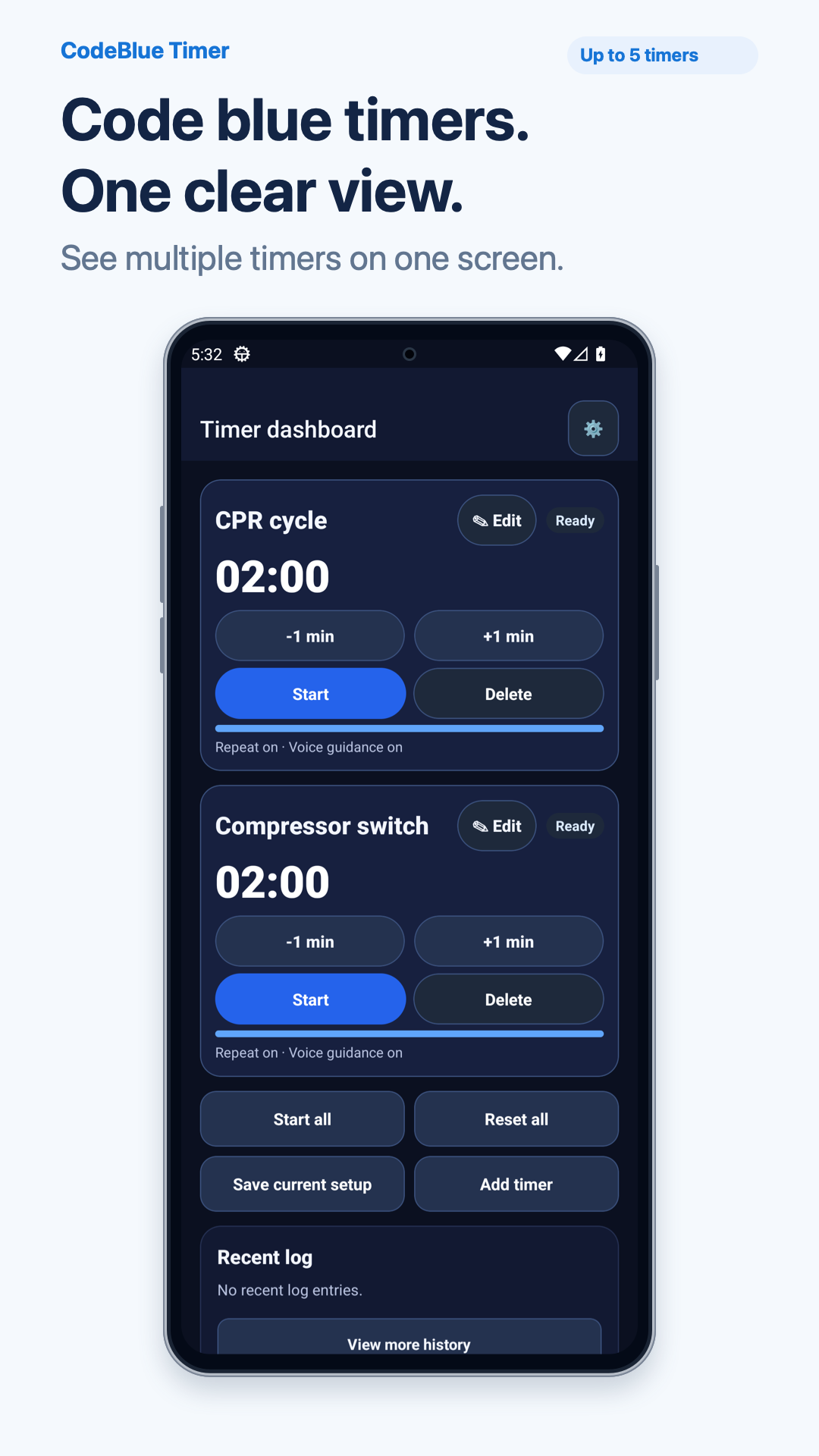
Keep intervals that need separate attention together on one screen.
Choose repeats and voice guidance for individual timers, then reuse frequent combinations as presets.
WHAT THE TIMER HELPS YOU PREPARE
The example below is a simulated training workflow. It does not describe hospital adoption or clinical results.
FEATURES FOR THE TASK
Bring up to five intervals onto one screen. Enter names and durations, then start individual timers or use Start all.
Set a repeat interval for the timers that need it. A repeating timer restarts when time runs out. Example: enable repeats for a simulated CPR cycle timer.
Review optional voice guidance and Android vibration settings. Example: enable voice guidance for a switch timer. Delivery depends on device permissions and settings.
Save timer names, durations, and alert options, then load the setup again. Check every setting before another training session. Saving multiple presets is available with Pro.
Review recent timer starts and fired alerts. Example: check a start time after a training session. The log does not replace clinical event documentation.
SIMULATED TRAINING EXAMPLE
This fictional scenario explains product controls. It is not a customer testimonial or a treatment sequence.
Enter “CPR cycle” and “Compressor switch,” then set durations for the training plan. The two-minute values in the images are demonstration settings.
Use Start all to run both timers. Enable repeats and voice guidance only where needed, and check remaining times on screen.
After training, review recent start and alert times. Load the saved preset and check names and durations for the next session.
ACTUAL APP SCREENS
Six app images with demonstration names and durations show multiple timers, Start all, repeats, alert settings, presets, and records.
A simulated training example. Actual app screens include explanatory text and a phone frame; these are not scenes of hospital use.
Name and configure CPR cycles, compressor changes, and up to five timers on one screen.
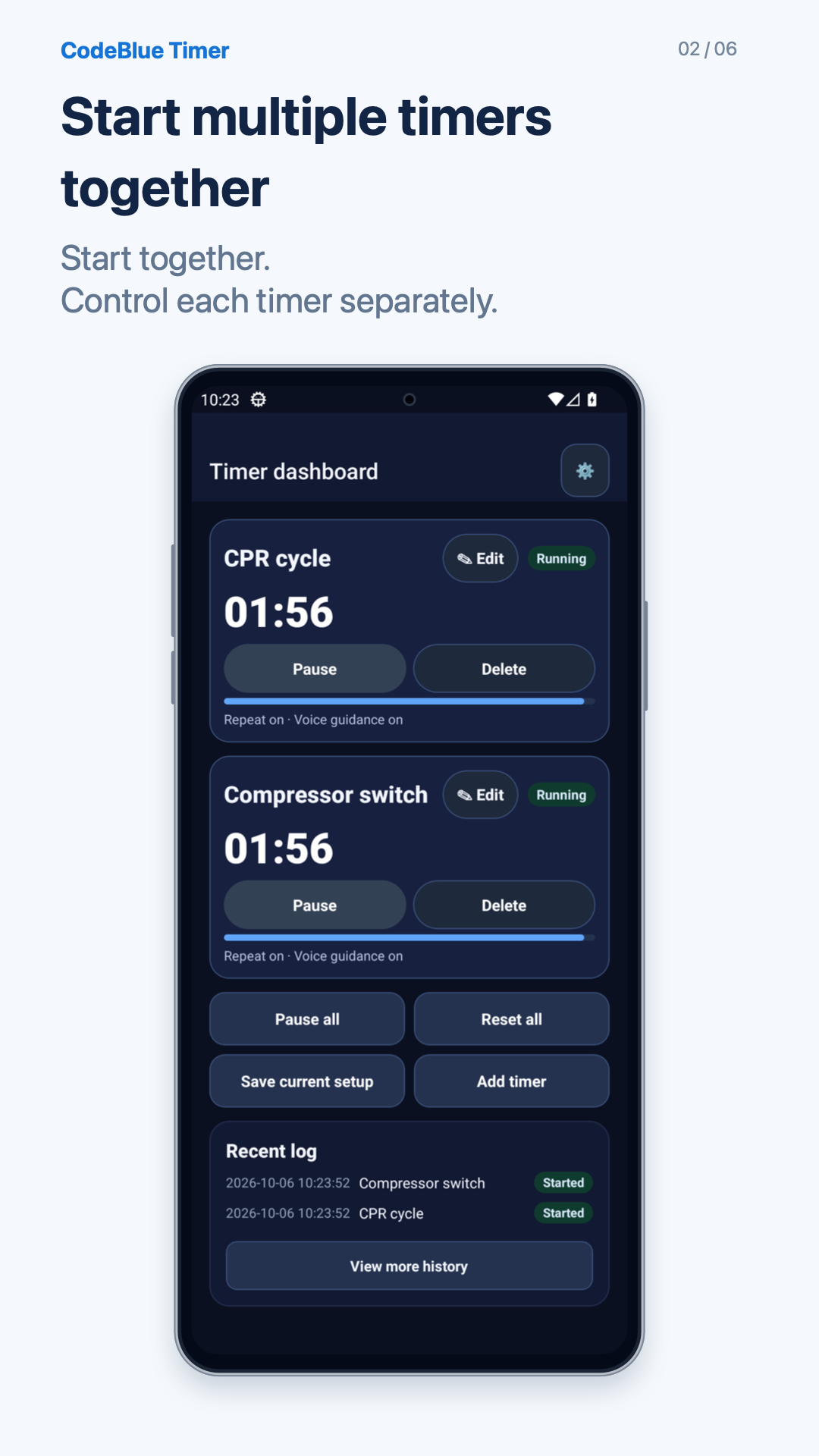
Use Start all to run multiple timers together. This capture shows the actual running app.
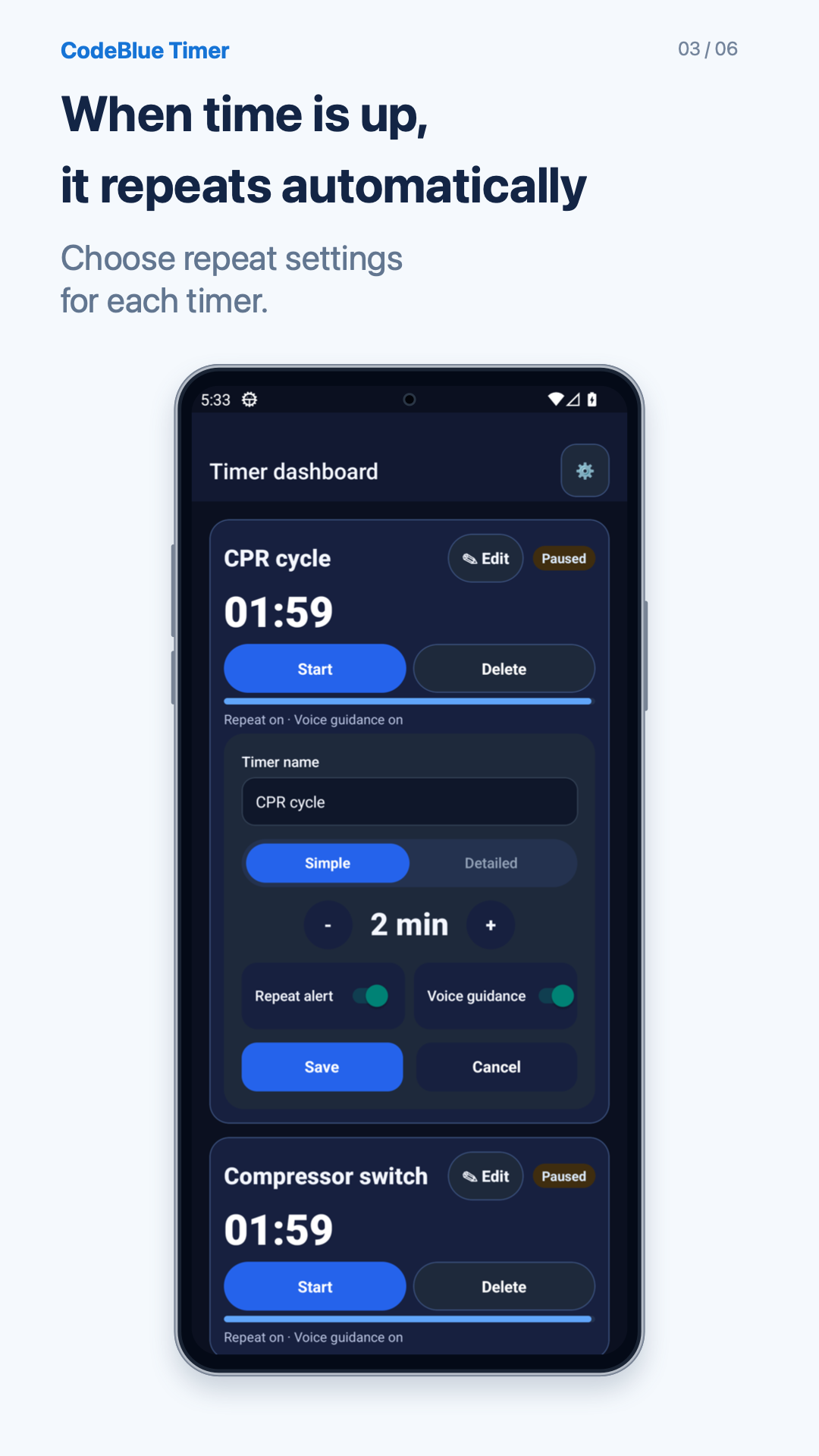
Set repeat intervals for individual timers. Each repeating timer restarts when time runs out.
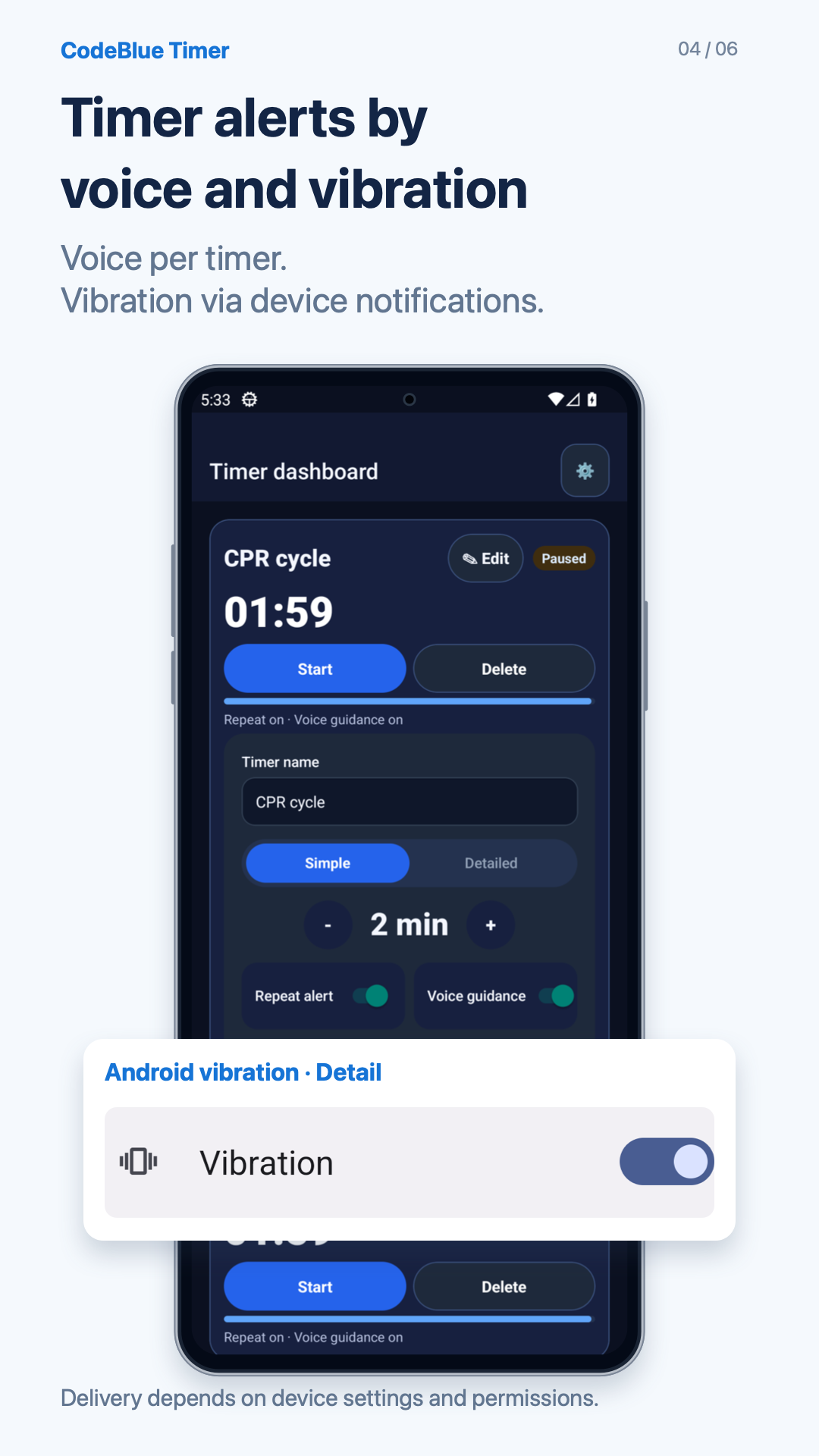
Review optional voice alerts and Android vibration settings. Alert behavior depends on device permissions and settings.
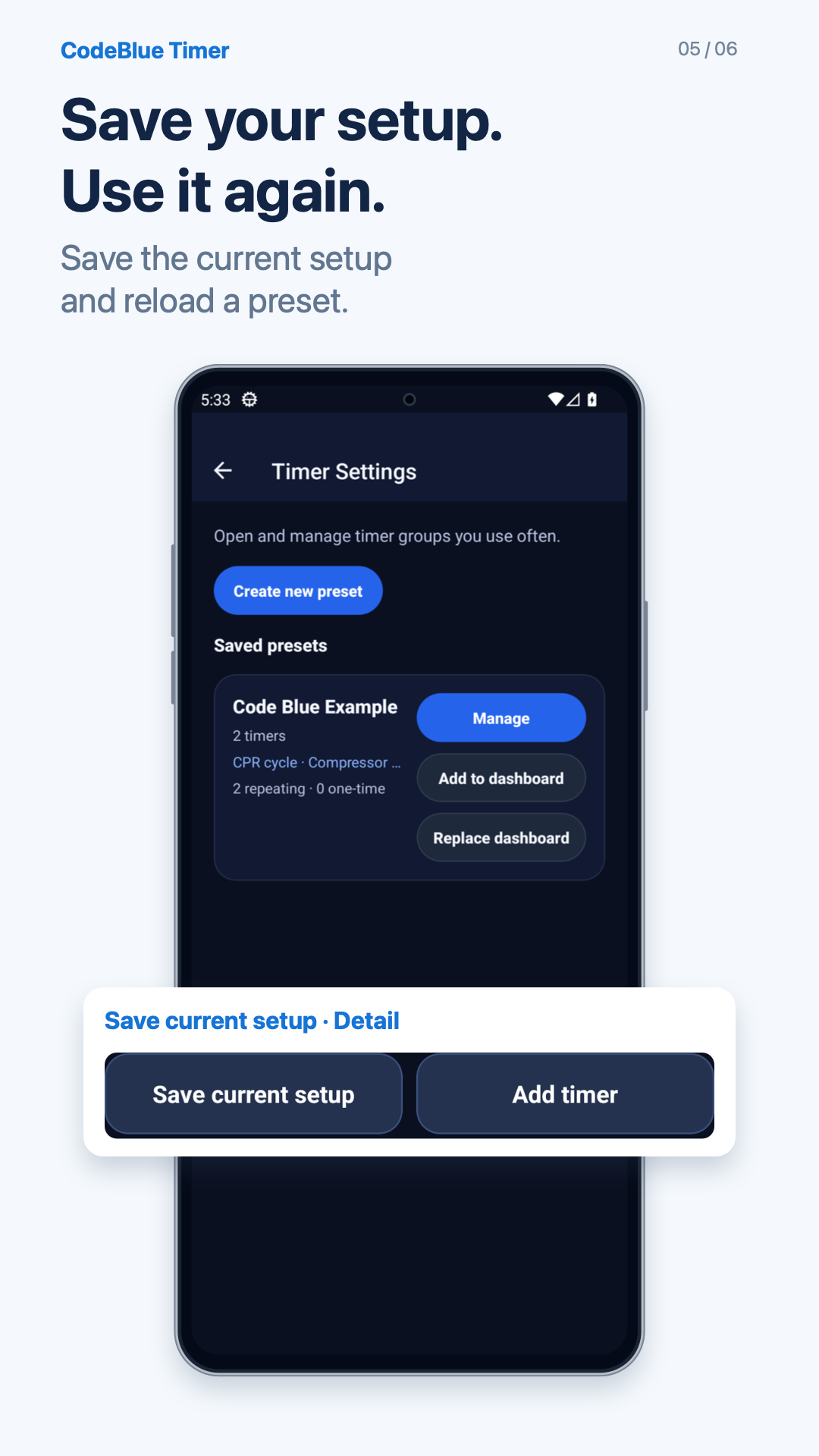
Save the current timer setup and reuse it. Multiple presets are available with Pro.
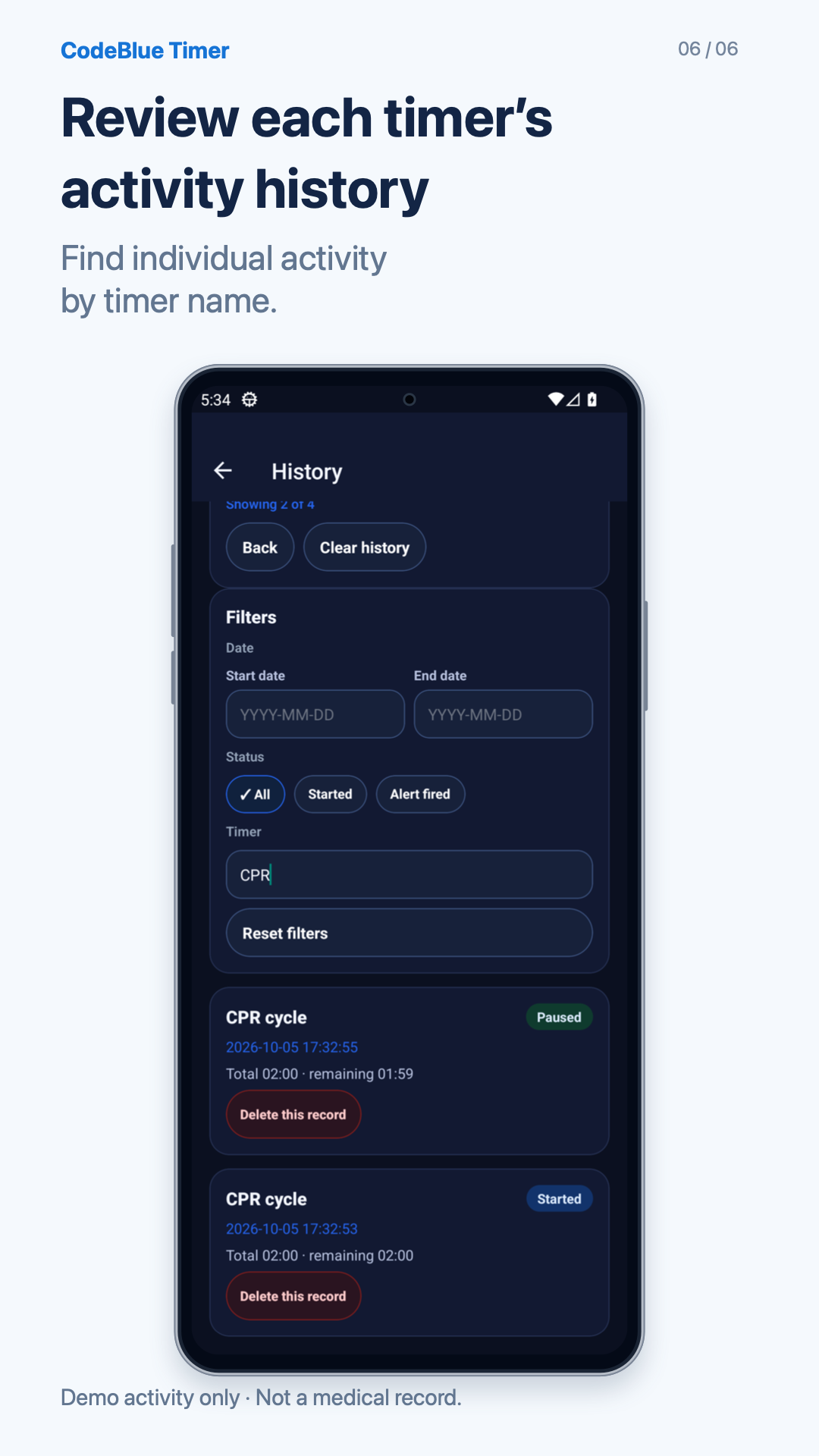
Review timer start and alert times. These records do not replace clinical event documentation.
1 / 6Swipe sideways to change screens
The timer names and durations shown are user-configured examples of the product workflow.
Start CPR cycle and compressor switch timers together, then see app pause/resume controls and automatic repeats at the configured two-minute interval.
Silent video. A 110-second wait is omitted; the sequence around the repeat plays continuously. This demonstrates app controls and does not advise interrupting CPR.
BEFORE YOU INSTALL
You can place up to five timers on the dashboard. Start them one at a time or use Start all.
Yes. Start only the timers you need, or use Start all for the prepared dashboard.
Save timer names, durations, and alert options as a preset, then add it to the dashboard or replace the current setup. Saving multiple presets is available with Pro. Follow the preset guide for the save and load steps.
The app supports Korean, English, Japanese, Simplified Chinese, and Spanish interfaces.
For cardiopulmonary resuscitation (CPR) simulations, give intervals names and durations, then start timers separately or together. The app does not provide CPR instructions, a compression beat, treatment sequences, or medication doses. Configure it according to your training plan and institution’s guidance.
Choose Auto repeat and Voice guidance for each timer. A repeating timer restarts at its configured interval when time runs out. Before use, check notification permission, device volume, Do Not Disturb settings, and voice output.
The app includes ads and in-app purchases. Saving multiple presets is a Pro feature. Check Google Play and the in-app purchase screen for purchase terms.
CODEBLUE TIMER
See up to five timers, repeats, and presets on Google Play.